
Appearance
Activities
The Activities page is the record of what the consortium did in public, with the evidence, and which KPIs each activity moved. It is where the dissemination and communication tables of the periodic report come from.
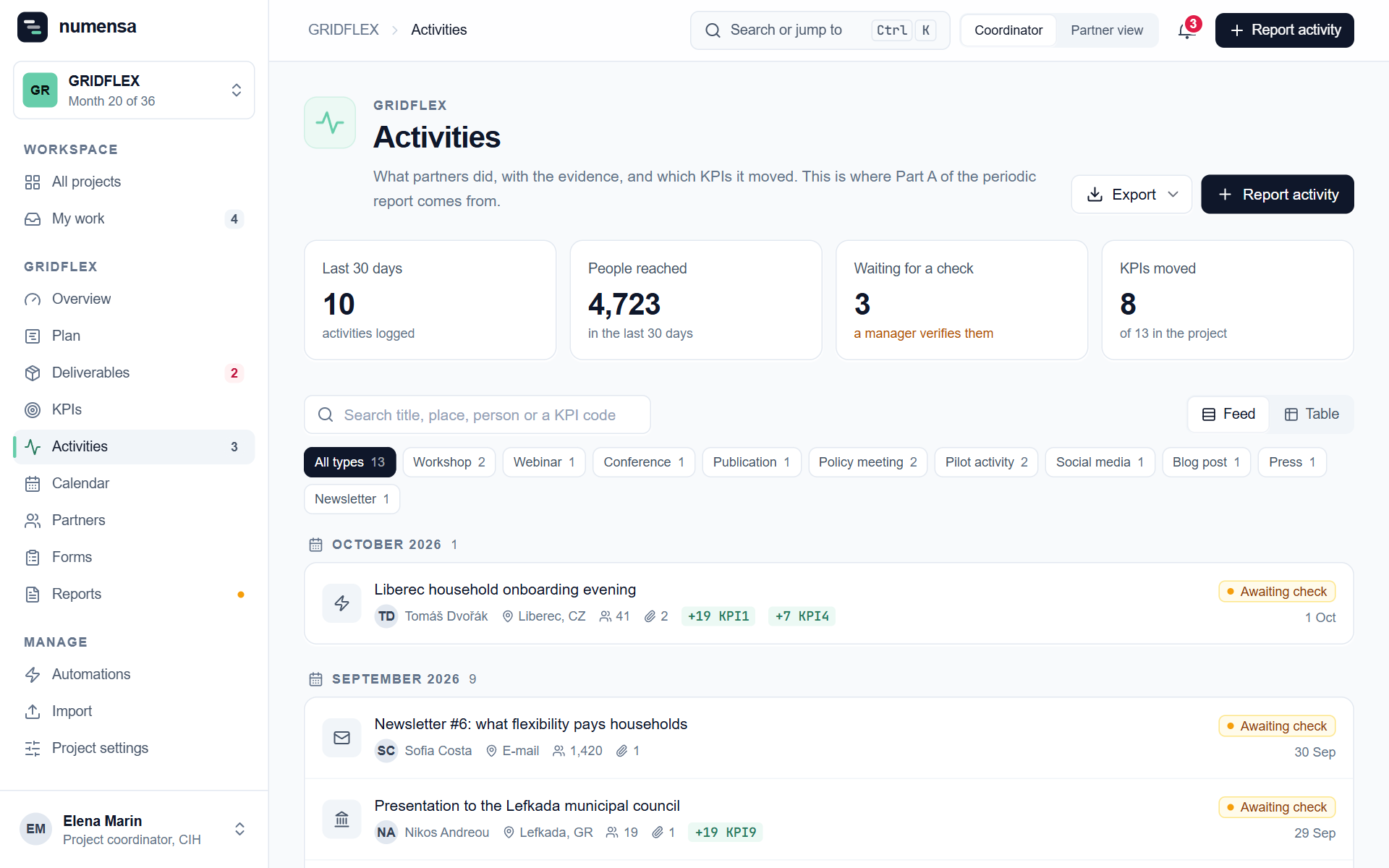 The feed of activities, newest first, with the KPIs each one added to.
Check what partners report
A new activity shows as Awaiting check.
- Open it and look at the evidence. Click a file to preview it.
- If it is right, verify it. That confirms the evidence and locks the KPI numbers it added.
- If something is off, correct it yourself or ask the partner to.
The number next to Activities in the menu is how many are waiting.
Find things
- Filter by type (workshop, webinar, publication and so on).
- Search by title, place, person or a KPI code.
- Switch between the Feed and the Table.
Who can change an activity
- Partners can correct or delete their own activities until you verify them. Under Project settings, Partner editing, you decide whether they may, and for how long after reporting.
- After verification, only coordinators and managers change an activity. Every change is kept.
Not every activity moves a KPI
That is fine. Policy meetings and newsletters often count towards none, and still belong in the report.
Export
Export gives you the activities as a spreadsheet, with the people reached and the KPI contributions.