
Appearance
Work on a deliverable
Every deliverable from the grant agreement has its own page: what it is, when it is due, who leads it, and every version uploaded so far.
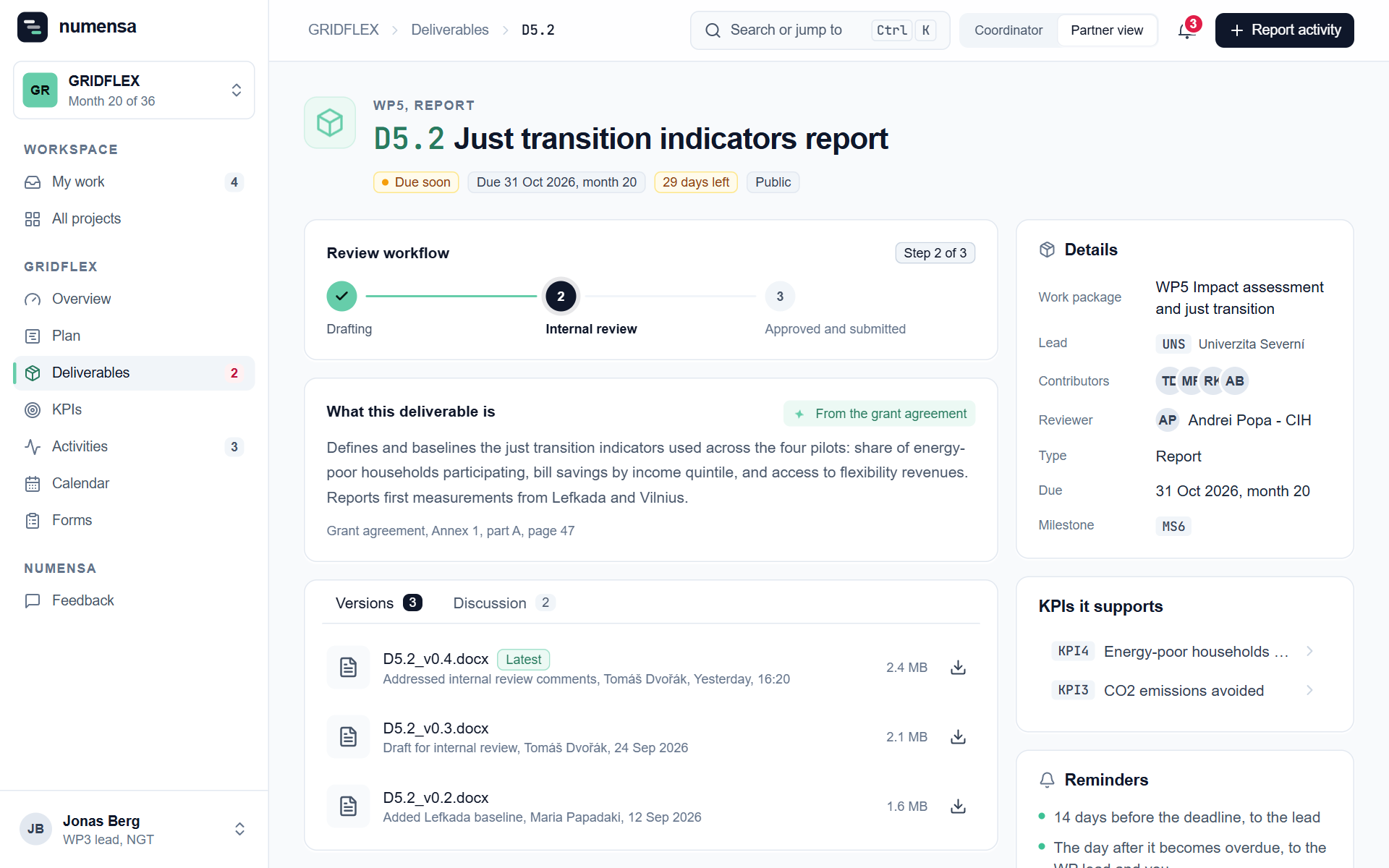 A deliverable: its deadline, the review steps, the versions and the discussion.
Find your deliverables
- My work lists the deliverables your organisation leads.
- Deliverables lists all of them. Filter by work package, or switch between the table and the board.
Deadlines are written as project months, as in the grant agreement, with the calendar date worked out next to them.
Upload a version
Only the lead partner and the coordinators can change a deliverable.
- Open the deliverable.
- Click New version.
- Choose the file and say in a few words what changed.
Everyone working on it can open the new version straight away. Older versions stay in the list. One file can be up to 50 MB.
Move it along
A deliverable goes through three steps:
- Drafting. Click Start drafting when work begins.
- Internal review. Click Send to internal review when a draft is ready for the reviewer named on the page.
- Approved and submitted. The coordinator marks this once the final version is submitted on the Funding and Tenders Portal.
Discuss it
Use the Discussion tab for comments, so the conversation stays with the document. You can delete your own comments.
Good to know
- Public or Sensitive shows the dissemination level from the grant agreement.
- Reminders on the page tell you which deadline e-mails the coordinator has set up, and who gets them.
- Numensa does not submit to the EU portal. The coordinator still does that.