
Appearance
Deliverables
The Deliverables page lists every deliverable from Annex 1 with its lead, deadline and status.
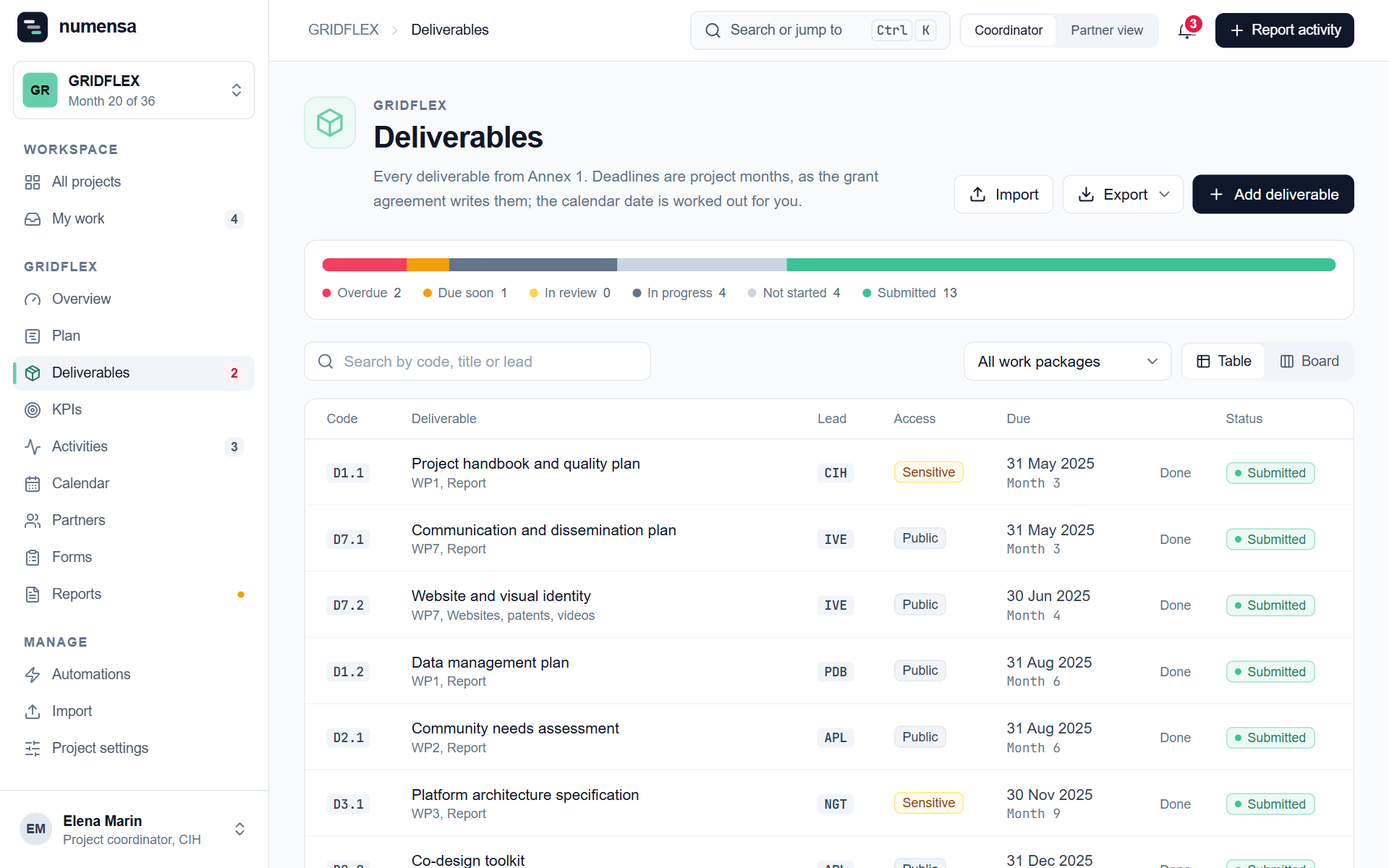 Counts by status on top, then the list. Switch to the board to see them by status.
Add them
- Add deliverable for one.
- Import for many: a spreadsheet with codes, titles and due months, or the grant agreement itself. See Import.
What a deliverable holds
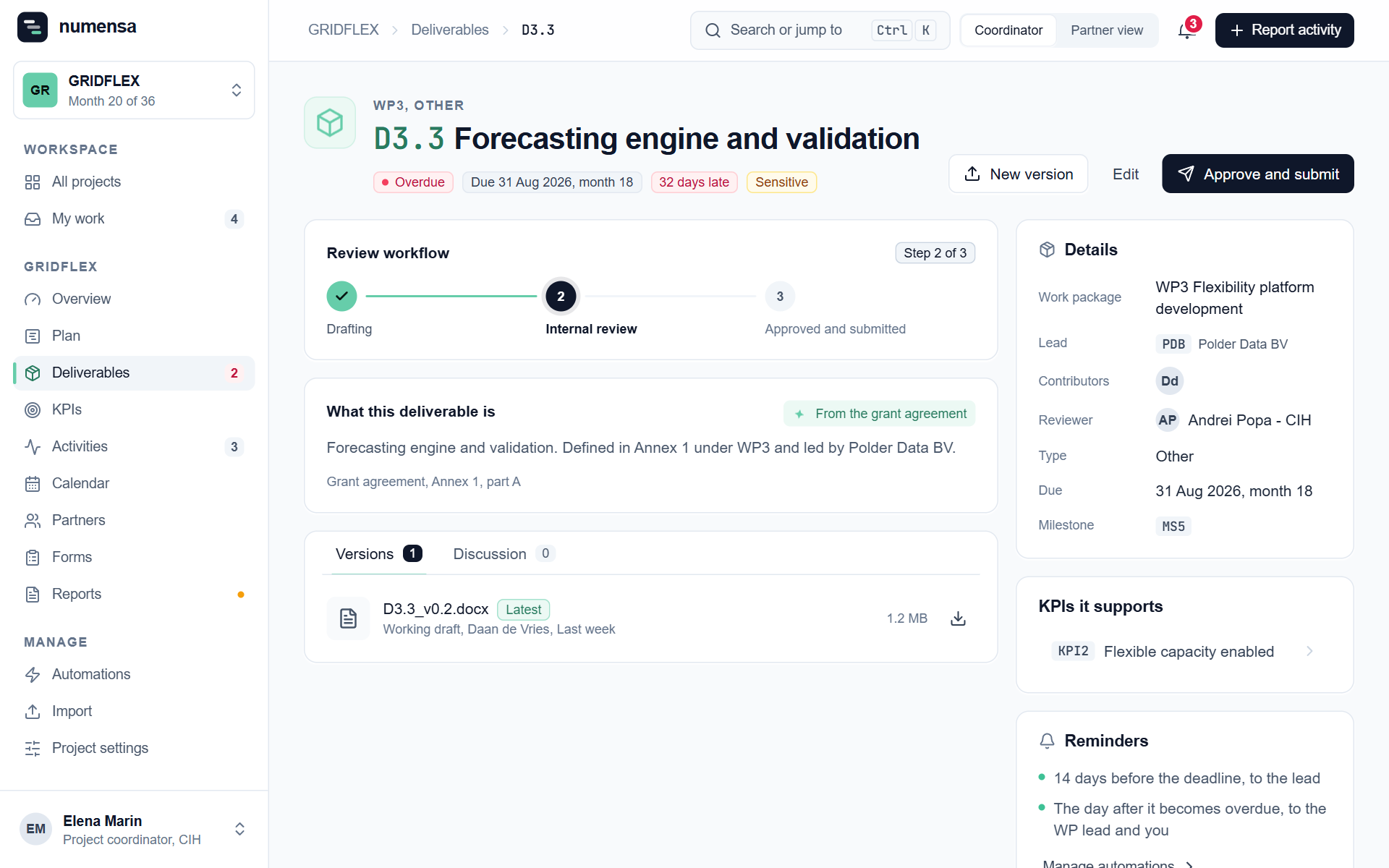
Open one to see and edit:
- Lead organisation, contributors and the reviewer;
- Due month, with the date worked out from the project's start date;
- Access: Public or Sensitive, as in the grant agreement;
- the KPIs it supports and its milestone;
- Versions and the Discussion.
The review steps
- Drafting and Internal review are moved by the lead partner, who also uploads the versions. See Work on a deliverable.
- Approve and submit is yours. Click it once the final version is submitted on the Funding and Tenders Portal. Numensa does not submit for you.
Deadline reminders
The Reminders box on each deliverable shows which e-mails are set up and who gets them. The rules themselves live under Automations.
A deadline reminder needs someone to send it to. If nobody is named as responsible for a deliverable, nothing is sent for it. Add a person with Edit.
Export
Export gives you the list as a spreadsheet, for a meeting or for the periodic report.