
Appearance
Partners and people
The Partners page holds the consortium: the organisations, and the people at each one.
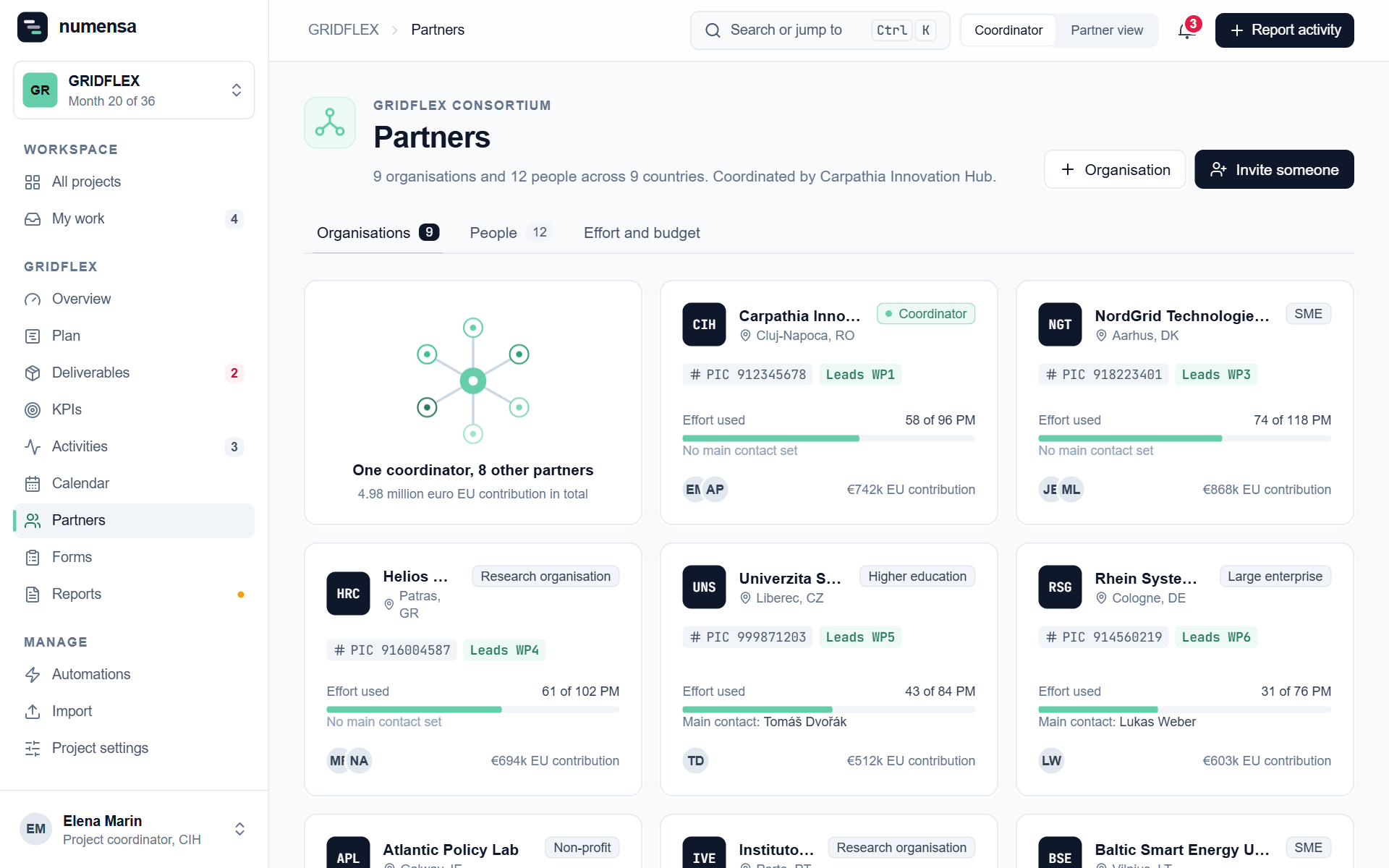 Organisations, with who leads what and the main contact of each.
Organisations
Click Organisation to add one, or click an organisation to edit it.
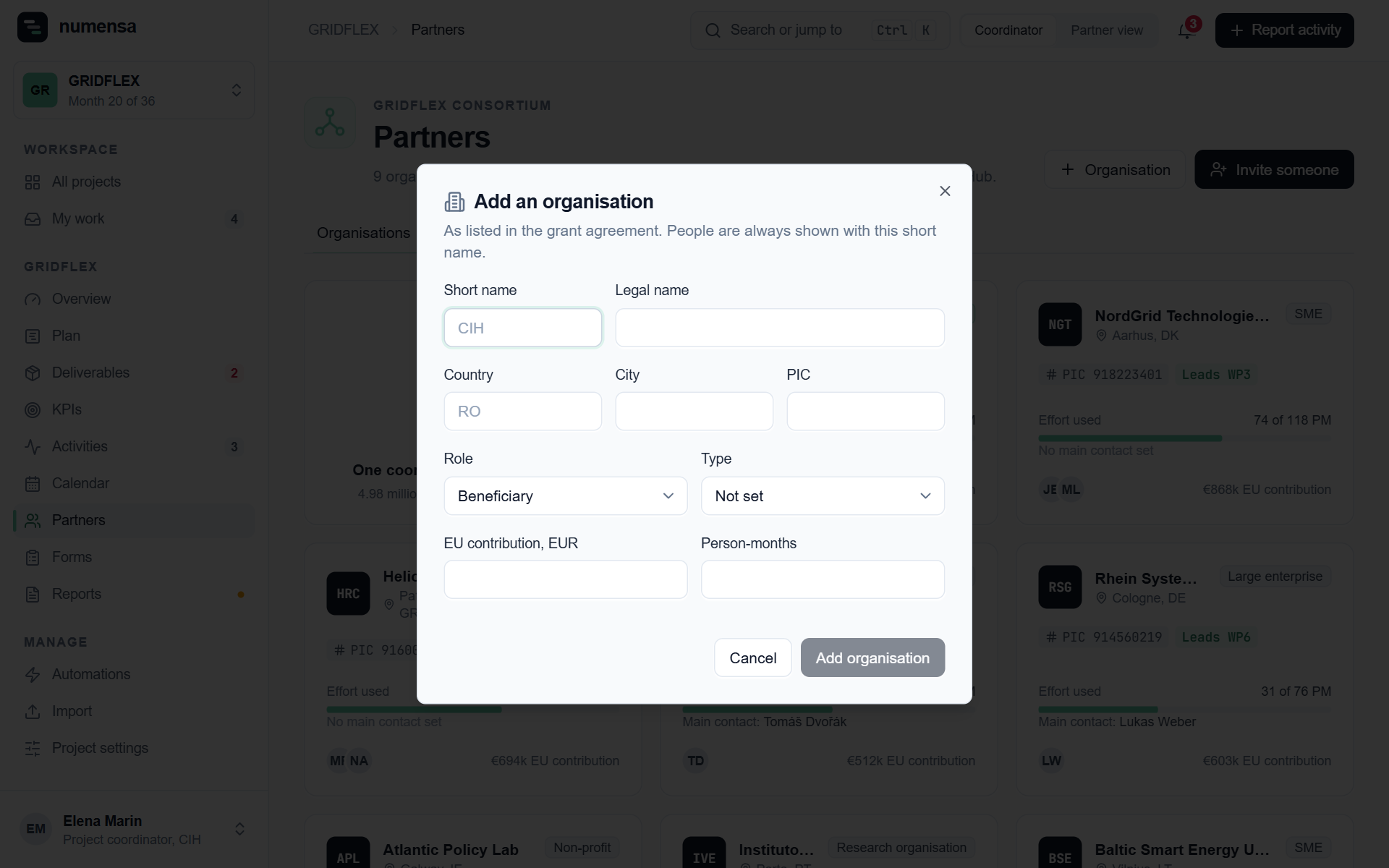
- Short name is how the organisation is shown everywhere, as in the grant agreement.
- Main contact gets the e-mails about this organisation's actions. Anyone at the organisation can still tick an action done.
- Backup contact is optional. This person gets the same e-mails as the main contact, as a separate message.
Both contacts have to be people who are already in the project.
People
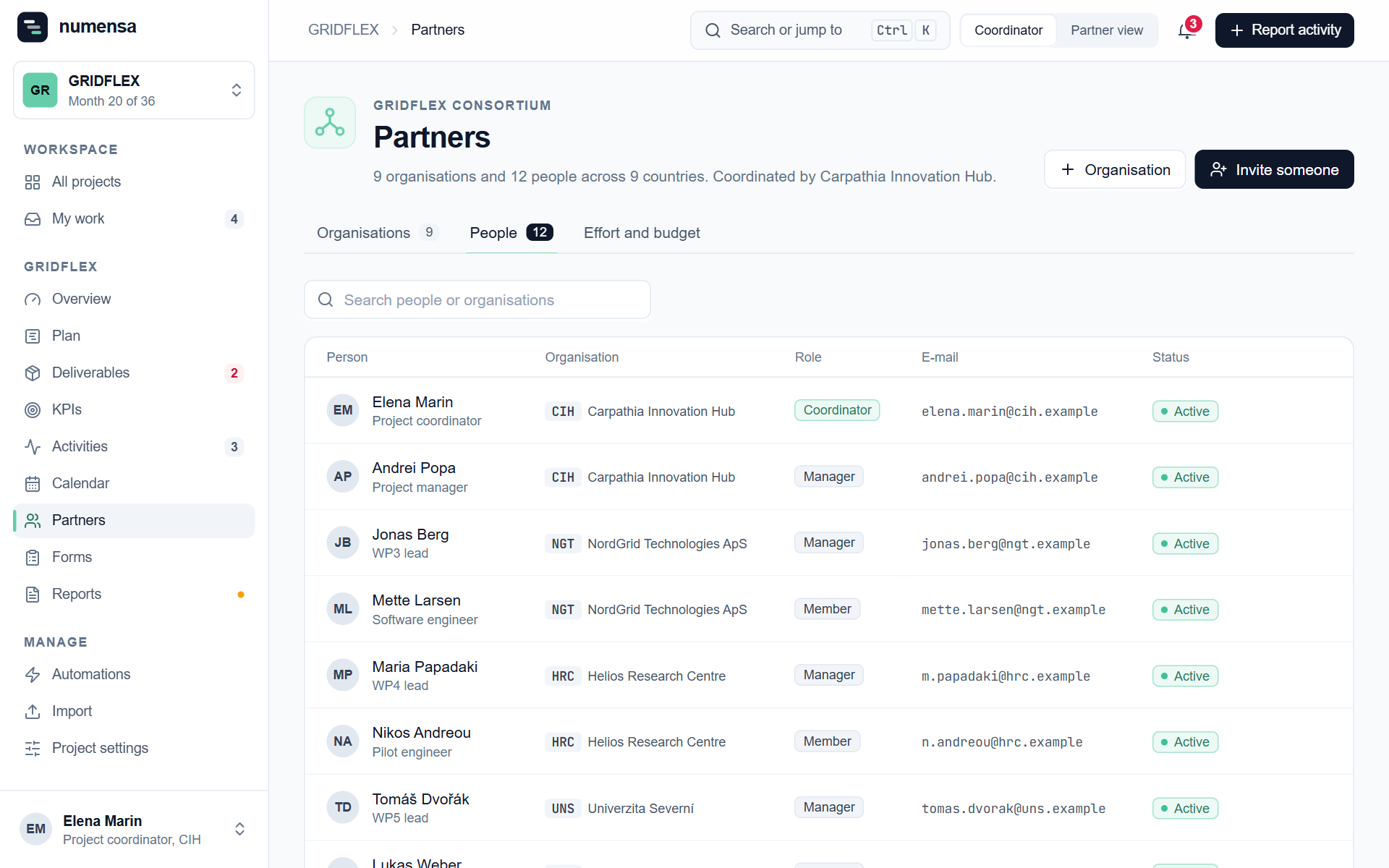 Everyone in the project, with their organisation, role and status.
Invite one person
- Click Invite someone.
- Enter the e-mail address, name, organisation and role.
- Click Send invitation.
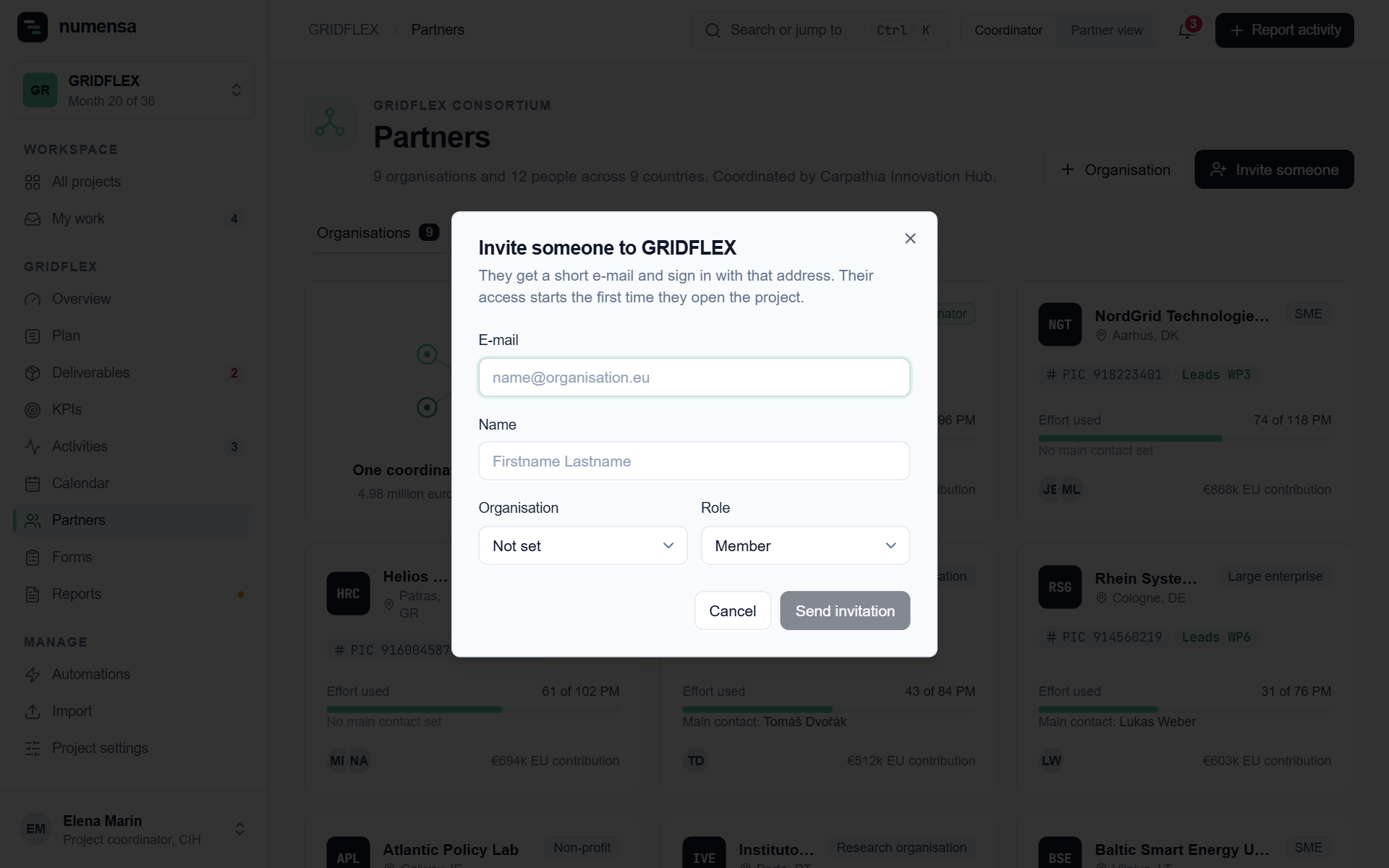
They get a short e-mail and sign in with that address. Their access starts the first time they open the project.
Add many people, invite later
Import a list on the Import page (Partners and contacts) and switch off sending the invitations. Those people show as Not invited yet:
- they receive nothing from Numensa, not even reminders for slots you give them;
- you can already assign them slots, deliverables and contacts;
- when you are ready, a bar on the People tab sends all waiting invitations in one go, or you invite people one at a time.
Statuses
| Status | Meaning |
|---|---|
| Not invited yet | Added, on hold. No e-mail of any kind. |
| Invitation sent | The invitation went out. They have not signed in yet. |
| Active | They signed in and opened the project. |
Roles and removing people
Change a role in the People list. Only the coordinator can change or remove a manager. See Roles.
When you remove someone, their future calendar slots open up again, so you see the gap and nobody who left gets a reminder.
Good to know
- Invite the address the person actually signs in with. See I signed in and see no project.
- Before inviting a whole consortium, tell the partners yourself that invitations from
hello@numensa.euare coming. People open e-mail they expect.